


© 2017 QWED Company. All rights reserved. 2017 | Home | Events | Products | Applications | Projects | About | Support | Log In
SOFTWARE PRODUCTS
HARDWARE PRODUCTS
APPLICATIONS
ABOUT
SUPPORT


Reprogramming your dongle
To reprogram your dongle, do the following:
1. Run QuickWave License Update (Start->Programs->QuickWave3D (V2D) v.(your most recent version number)->Licensing->QuickWave License Update)
1. Run QuickWave License Update (Start->Programs->QuickWave3D (V2D) v.(your most recent version number)->Licensing->QuickWave License Update)
3. Select an appropriate file from the list of the license files (for example for the dongle marked as QW-554 on the dongle sticker, the file would be: license_554.ql3) and press Update

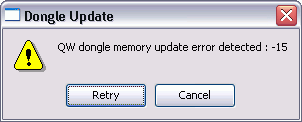
5. This report means that the dongle you have inserted is not appropriate for the *.ql3 file selected (check the numbers):
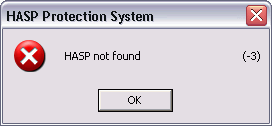
6. This report means that the dongle has not been inserted (check):
7. In case of problems with re-programming please contact:
v.sypniewska@qwed.eu
v.sypniewska@qwed.eu
2. Press Read codes from network, enter your ftp password and press OK

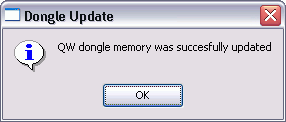
4. If this report will appear, it means that the system has recognised your dongle and successfully updated it:



discover accurate EM modelling